Hard bounce vs soft bounce: what the SMTP reply codes mean, and what to do with each
A bounce is a receiving server's answer, and the answer has a structure. The first digit says whether to retry, the enhanced status code says why, and the text is for humans. Here is how to read the common ones, which addresses to suppress, and which rejections are about you rather than the recipient.
A hard bounce is a 5xx reply, a permanent refusal, and the address should be suppressed. A soft bounce is a 4xx reply, a temporary condition such as a full mailbox or a rate limit, and should be retried with backoff for a day or two. The enhanced status code says why: 5.1.1 is an address that does not exist, and 5.7.x is a policy rejection about the sender, not the address.
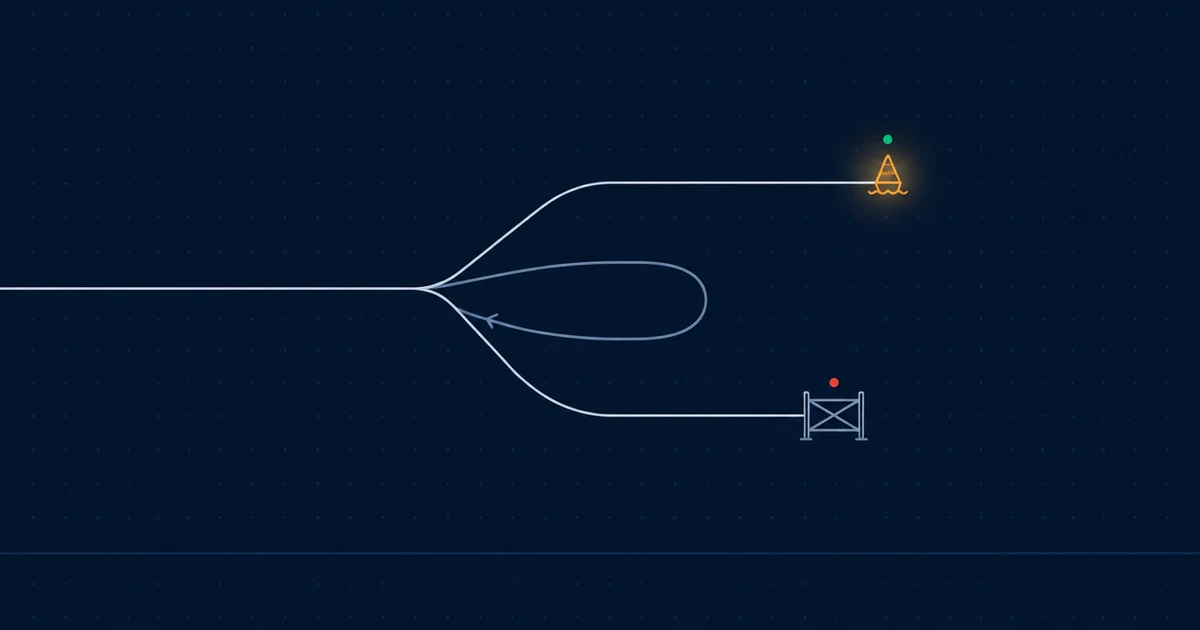
Every bounce is a sentence a receiving server said, and the sentence has a grammar. Most bounce handling goes wrong because it reads the wrong part: the free text, which is written for humans and varies by receiver, instead of the codes, which are standardised and written for your code.
There are three parts to a reply. Read them in this order.
Part one: the first digit decides retry or stop
An SMTP reply starts with a three-digit code. Only the first digit matters for what to do next:
- 2xx — accepted.
250 OKafter the message data means the receiver took responsibility for it. This is whatdeliveredmeans in most event logs. - 4xx — temporary failure. The receiver is saying “not now”. Retry later. This is a soft bounce.
- 5xx — permanent failure. The receiver is saying “not ever, not like this”. Do not retry the same message. This is a hard bounce.
That is the entire distinction. A soft bounce is a scheduling problem and a hard bounce is a decision. Everything else in this post is about what kind of decision.
Part two: the enhanced status code says why
Most receivers follow the three-digit code with an enhanced status code of the form class.subject.detail, where the class repeats the first digit and the subject says what the problem is about:
| Subject | Concerns | Example |
|---|---|---|
x.1.x | The address | 5.1.1 no such mailbox |
x.2.x | The mailbox | 4.2.2 mailbox full |
x.3.x | The mail system | 4.3.2 system not accepting mail |
x.4.x | The network or routing | 4.4.1 connection timed out |
x.5.x | The protocol | 5.5.4 invalid command arguments |
x.6.x | The content | 5.6.1 media not supported |
x.7.x | Security or policy | 5.7.1 delivery not authorised |
Two of these rows carry almost all of the traffic, and they need opposite handling.
Subject 1 and 2 are about the recipient. 5.1.1 is the classic hard bounce: the address does not exist. 5.1.2 is a domain that does not exist. 4.2.2 is a full mailbox, which is a soft bounce today and might be a hard one next month. These are the addresses suppression exists for.
Subject 7 is about you. 5.7.1 and its neighbours mean the receiver refused on policy: your IP is on a blocklist, your authentication failed, your reputation is low, the content tripped a filter. The address is fine. Suppressing it hides the problem for that one recipient and does nothing about the thousand others who are about to get the same reply. A 5.7.x is a page to an engineer, not a list update.
The IANA registry links to every registered code with its meaning. The ones you will actually see, most to least often:
550 5.1.1   The email account that you requested does not exist
452 4.2.2   The recipient's mailbox is full
421 4.7.0   Try again later, closing connection (rate limiting)
550 5.7.1   Message rejected due to sender policy / listed on blocklist
550 5.7.26  Unauthenticated email is not accepted (SPF/DKIM/DMARC)
451 4.7.1   Greylisted, try again later
554 5.4.7   Message expired, could not be delivered in time
That last one is not a receiver reply at all. It is what your own relay reports when a soft bounce was retried until the retry window closed. It is the soft bounce that became final.
Part three: the text is a hint, not a contract
The human-readable text after the codes is useful when the codes are vague, and some large receivers put a URL in it pointing at the exact policy page that applies. Read it when debugging. Never parse it in code. Receivers change the wording without notice, and a bounce classifier built on regexes against text is a classifier that silently degrades.
What to do with each
Hard bounce, address-related (5.1.x, 5.2.1 disabled mailbox): suppress the address. Do not attempt it again from any part of your system until you have independent evidence it works. Repeatedly mailing an address that has told you it does not exist is one of the strongest negative reputation signals a sender can generate, and it is almost always a retry loop rather than a decision.
Soft bounce (4.x.x): retry with increasing intervals. A reasonable schedule for transactional mail is a few minutes, then fifteen, then an hour, then every few hours for one to two days. After that the message is stale, and a password reset from Tuesday is not wanted on Thursday. Expire it and record that you did.
Policy rejection (5.7.x): stop and look at the sender, not the recipient. Check Authentication-Results on a message to yourself, check the sending IP against the major blocklists, look at whether complaint rate has moved. If the rejection names a URL, read it. Then fix the cause before retrying anything, because retrying into a policy block makes the block worse.
Rate limiting (4.7.0, 421): slow down to that receiver specifically. This is a receiver telling you it is willing to take your mail, just not this fast. Backing off and resuming is right. Retrying immediately is how a temporary throttle becomes a temporary block.
Bounces that arrive later
Not every bounce happens during the SMTP conversation. A receiver can accept a message with 250 OK and then, minutes later, send a delivery status notification to the return path explaining that it could not deliver after all. These are asynchronous bounces, formatted per RFC 3464, and they carry the same enhanced status codes in a structured part of the message.
This is why the return path matters operationally and not only for SPF. If the return path is a mailbox nobody’s code reads, asynchronous hard bounces are never suppressed, and the addresses stay live in your system forever.
Where Pharos fits
Pharos reads both kinds. A hard bounce during the conversation or a later delivery status notification adds the address to your suppression list, and Pharos will not attempt it again. Soft bounces are retried on a schedule and expired when the window closes. The event log distinguishes failed from rejected-by-mta, so a 5.7.x about your sender shows up as what it is rather than as a dead address, and the suppression list is yours to inspect, export and correct.
Look up a specific code in the SMTP bounce code reference.
Questions this raises
How many soft bounces before an address should be treated as hard?
Retry for a bounded window rather than counting attempts. Two days of failed retries on a full or greylisted mailbox is reasonable for transactional mail, and the message is stale after that anyway. An address that soft-bounces on every send across several weeks is effectively dead and should be reviewed, but it is a review, not an automatic suppression.
Should I remove an address from the suppression list if the person says the mailbox works now?
Yes, when you know it works, and only then. A person telling you they can receive mail is evidence. A resend button on a form is not. Removing an address because a retry loop asked for it is how suppression stops meaning anything.
Why did a valid address hard-bounce?
Look at the enhanced code. 5.1.1 means the receiver said the mailbox does not exist, which is occasionally a receiver-side outage but usually true. 5.7.1 or 5.7.26 means the receiver refused the message on policy, most often authentication or reputation, and the address is fine. Do not suppress on 5.7.x. Fix the sender.
Sources
Know when the rules change.
Gmail, Yahoo and Microsoft change what they require from senders. Pharos changes too — a capability, a limit, a price, something retired. Both change what you have to do to keep sending, so this list sends one email when either happens.
check your email
Confirm from the email we just sent, and you're on the list.